The Most Basic DAX Functions of Power BI

Hello dear reader! In this article we will be talking about the most basic DAX functions of Power BI. We use these functions a lot in our daily lives. And this shows us that we will be using these while preparing reports.

 

Keep calm and think simple 😃 Yeap, the functions I will talk about go like this:

  • Count (COUNT)
  • Sum (SUM)
  • Calculate the average (AVERAGE)
  • Find the maximum value (MAX)
  • Find the minimum value (MIN)


All these functions have a very simple structure. We usually use the functions above in measures. The results of measures give a a single scalar value. We are looking for the answers of questions below as a single scalar value.

I got the exemplary data set for application of these functions from kaggle.com. You can reach example datasets here. This data set contains information about video games like name, rank, platform, year, genre, publisher, global sales . We will be getting answers of some questions we ask to the data set with the functions above.

Let’s transfer this data set to Power BI first. For this choose Text/CSV from Get Data options on the Home tab and lead to this data set. When you click OK to get this .csv format file it will recognize the bracket between texts and display the version automatically divided into columns on the Navigation window and we will only need to click Load.

In this stage we will try to get the answer of the questions below from this data set.

1-How many games are there?

Lets’s satisfy our curiosity about this first. We will count how many games there are by using the COUNT function from the basic DAX functions. We can use any column for this action. We usually choose the columns that we know will never be empty for counting. We write the related table and column name inside the COUNT function and execute this action. You can find the related syntax below:

Game Count= COUNT(vgsales[Name])

By typing this function we find out that we are talking about 16.598 games here.

2-What is the sum of values on the Global_sales column?

When we talk about sum of values on a column another basic DAX function comes into play. We will obtain the sum of values on the GlobalSales column by using the SUM function. We have to choose a column with numeric values to use the function. The column we want the sum of contains numeric value of Decimal Number data type. We do the action by writing the related table and column name into the SUM function. You can find the related syntax below:

GlobalSales Sum= SUM(vgsales[Global_Sales])

We obtain the sum of values on the GlobalSales column as 8920.44 with this function.

3- What is the average of values on the Global_Sales column?

Let’s find the average for the same column. If we are talking about the average of values on a column, the function we will use is AVERAGE. To use AVERAGE function as well we have to choose a column that contains numeric data type just like in the SUM function. We can obtain the result we want by writing table and column name in AVERAGE function just like the two functions above. You can find the related syntax below:

GlobalSales Average= AVERAGE(vgsales[Global_Sales])

AVERAGE function gives as the answer as the value of 0.54. The average sale price of the games in this data set is 0.54.

4-What is the maximum of the values on the NA_Sales column?

This time we have another curiosity on another column. What is the maximum sales value on the NA_Sales column? The answer of this question can be provided by the MAX function only. Of course for this function too the related column has to contain numeric value. But this function gives us two syntax options: we can find the maximum value in a column, or can tell which one is bigger of two scalar values. We will request the maximum value in the whole column. The general use of MAX function is like that. You can find the related syntax below:

Maximum NA_Sales = MAX(vgsales[NA_Sales])

According to the information we obtained with this function, the maximum value on the NA_Sales column is 41.49.

5-What is the minimum of the values on the NA_Sales Column?

This is the last question we will be asking: What is the minimum sales value on the NA_Sales column? We will use the MIN function to get the answer of this question. While it has been built to bring out the minimum value, the syntax is completely same with the MAX function. The general use is to find the minimum value on a column. You can find the related syntax below:

Minimum NA_Sales = MIN(vgsales[NA_Sales])

According to the information we obtained with this function the minimum value on the NA_Sales column is 0.

With this last question we answered all the questions above by using the most basic DAX functions.
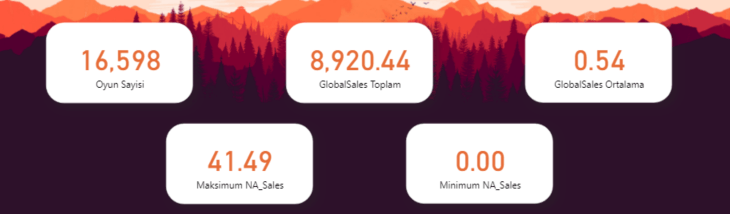
 

DAX fonksiyon sonuçları

If you please, you can download the .pbix file in which all these actions are done here. Until next time, bye!

Good game well played.

How Do You Turn an E-Mail Signature into a Marketing Tool?

As the communication processes are digitalizing, e-mail signatures are becoming an important marketing tool for every sector. Digitalization of communication also plays an important role in the determination of the target audience. Bearing in mind that a worker sends an average of 121 e-mails every day and the average number of this is 293,6 billion globally, why would you wait more to use e-mail signatures correctly? 

Create your Marketing Strategy with your E-Mail Signatures! 

You can create a pretty  effective marketing strategy by including your workers to the marketing process in the equation where when your visibility increases so does your brand’s recognition. You wonder how? 

You can make sure to reach the correct target audience the fastest and cheapest way the moment you add your announcements, campaigns and advertisements to your e-mail banners in a system that you can manage all your signatures centrally.  

Numbers don’t lie!  

According to the studies every day the average worker sends 121 e-mails in average. Considering that the number of sent e-mails in a company with 100 workers is 12.100 making sure that your messages reach to thousands of people makes you obtain incredible results.  

What you have to do to use such a fast and easy communication tool is pretty simple.  

Design Your E-Mail Signatures without Waiting for your IT Department 

Being able to access your e-mail signatures anywhere and anytime is the most basic matter when it comes to announcing your new advertising campaign without wasting time. Keep the control of the signatures that you can easily manage and update centrally. A consistent and well-designed signature banner increases your brand identity and reputation. You can create your own designs and advertisements easily without needing the IT department. Wouldn’t you like to design your own signature right now?

Time to Say Goodbye to Business Cards 

We have a culture of loving traditionalism and not being able to detach from it. There are a lot of people who especially like to buy and even collect business cardsBut in these times where lately the contact decreased, the meetings are done online, and the companies change to digital management the life of business cards comes to an end.  

You can use the announcements and campaigns that you have on your e-mail signatures that you always keep updated as your business card and also reach them to hundreds of your associates, clients and end users. This would be an excellent communication channel that is more interactive compared to handing out your business cards one by one and that you can get the feedback immediately from.

Locate your Banners Correctly 

You can send the messages that you have highlighted the content of, advertisedand that you want to convey with the designs that reflects your corporation to your potential clients instantly.  

 Having more fame and sticking-in-mind better is as close to you as a signature. 

Your e-mail signatures that you have created with a short and effective message will increase the click rate as well. And this will provide you competitive advantageThe simpler and more comprehensible for your target audience the message content, design and content language is, the more impact you will have on the receiver 

Imagine creating different advertisements for each one of your advertising campaigns and activities and having to updating them all the time. This process will be a burden for you in terms of both time and costs. The effects might ware off as you plan the right campaign and you might not be able to get the desired reaction right away. You can design your e-mail signatures for the campaign and the target audience you desire on a department, sector or person base. Thus, the messages you send will be more personalized. Making a good impression on the e-mail receiver will be very important in terms of your persuasiveness. 

You can liven up your mails with the signatures you can effortlessly design on Sign&GO and reach your brand recognition to the target audience you desire with a right strategy.  


Power BI – 2020 July Favoruites

Hello dear reader! This month’s updates are for those who can resist the charm of sea and sand right in the middle of summer. There are two very important features among Power BI July 2020 updates. Let’s go and take a better look right away.

1-   The most important update: Financial Functions on Excel are now on Power BI!

A total number of 49 financial functions are coming to the infrastructure of Power BI. Since we build financial reports on Power BI, it is especially nice to have these functions. These functions added to Power BI have the same function same and syntax as in Excel. You can reach functions and their details here. You can find the names of new functions below.

FINANCIAL FUNCTIONS
ACCRINT CUMIPMT INTRATE PDURATION SLN
ACCRINTM CUMPRINC IPMT PMT SYD
AMORDEGRC DB ISPMT PPMT TBILLEQ
AMORLINC DDB MDURATION PRICE TBILLPRICE
COUPDAYBS DISC NOMINAL PRICEDISC TBILLYIELD
COUPDAYS DOLLARDE NPER PRICEMAT VDB
COUPDAYSNC DOLLARFR ODDFPRICE PV YIELD
COUPNCD DURATION ODDFYIELD RATE YIELDDISC
COUPNUM EFFECT ODDLPRICE RECEIVED YIELDMAT
COUPPCD FV ODDLYIELD RRI

2-Notable Update: Azure Maps visual

Another update we see as important is Azure Maps being included among the defaults images of Power BI.  But, why is it so important? This chart has different  features than the other map charts.

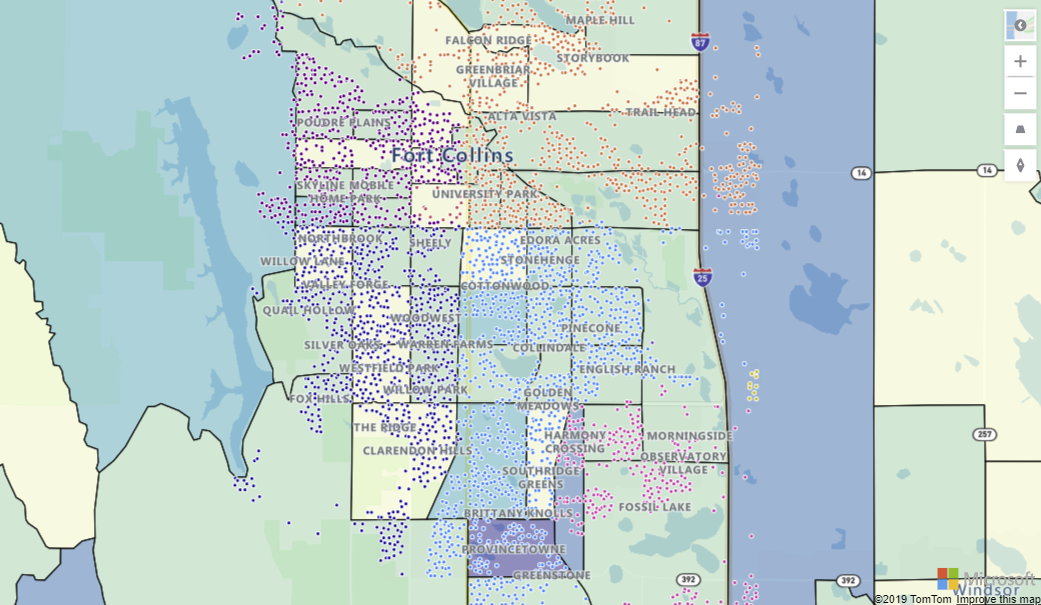
Now we can add extra layers to maps. One of them is “Reference Layer”. With this feature a GeoJSON file containing custom location data can be uploaded and overlaid on the map. This way you can use it as a reference layer containing different information like population and real estate.

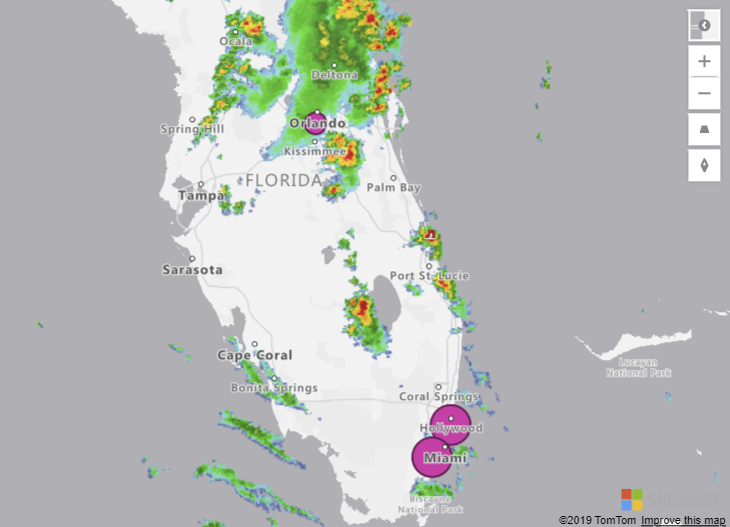
Another one is “Custom Tile Layer”. Tile layers allow you to superimpose images on top of Azure Maps base map tiles. What tiles? For example, weather forecast.

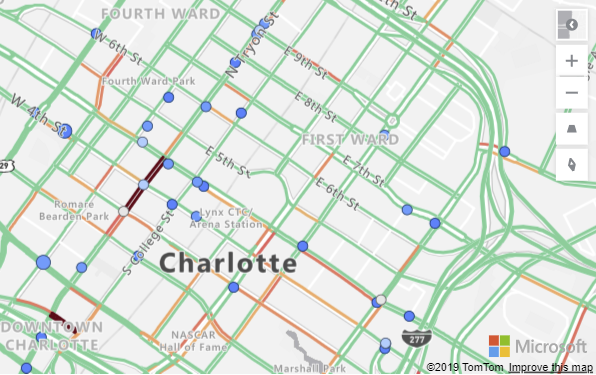
Another standing-out thing is that you can see the real-time traffic overlay on the map in your report. If you work in a logistic related area, it will be very useful for you in terms of increasing efficiency.

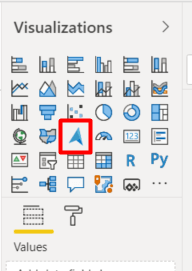
In order to activate this update, you need to activate Azure Map Visual in Preview Features. Then, when you restart Power BI, you will see it among default images on the right .


3-Update: External Tools ribbon- Preview

External tools are non-Microsoft tools that work with Power BI and that allow you to create calculations and calculation groups and analyze data in terms of performance. The prominent ones are:

  • DAX Studio
  • Tabular Editor
  • ALM Toolkit

These feature cannot be opened on Preview Features. We need to create a folder and set up these programs in that file. The folder shortcut should be:

Program Files (x86)Common FilesMicrosoft SharedPower BI DesktopExternal Tools

You can get details about downloading these tools here.

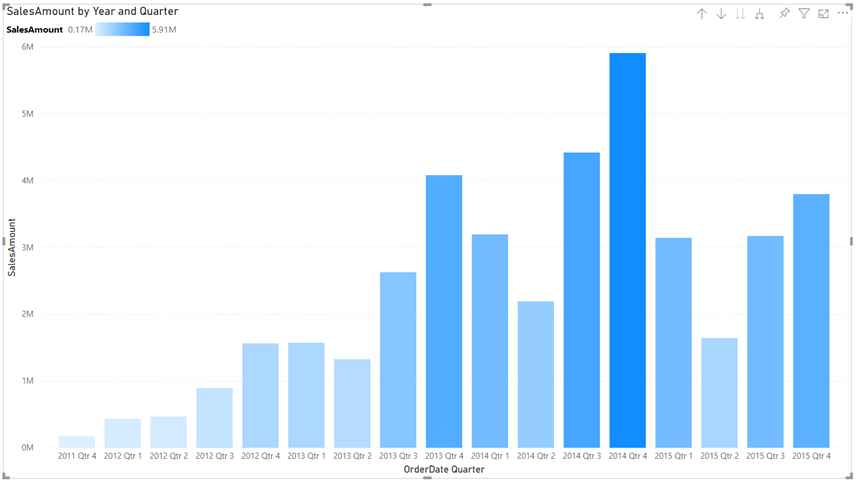
4- Gradient Legend

You can now see the color scale that have been conditionally formatted by columns and bar charts as a legend. Of course, unless you add a legend on purpose.

5-Global option to disable automatic type detection

Power Query tries to automatically detect column headers and types based on the data. This feature didn’t function on schema-less data sources and we had to fix it manually. Now we can disable automatic type detection against schema-less sources. This new option can be found under the Options dialog under Global > Data Load.

We cannot talk about data sources in Power BI 2020 July updates 😮 We haven’t come across this situation for a while. If you want to see prior Power BI updates or take a look at other Power BI articles on our blog, click here. Till the next time, take care!

Good game well played

Games as the Language of Children

The importance of games has an irreplaceable place in children’s development in terms of language development, physical and intellectual development and self-care development. Games help children to develop by bringing out their skills like exploration, imitation, and creativity. Games are an opportunity to solve problems.

Even though as parents we doubt the security of technology and feel worried about it, playing games also reflect as learning on our children.

Our children who were born in to a time of digitalization and see tools like phones, tablets, computers and imitate what they see with their imitation skills get involved in this situation -even though we are careful about it and draw the line- somehow. We complied a few applications that can be beneficial as long as parents are in control and that our children can learn as they play.

ABC WOW:

It is an interactive application that helps children to learn the alphabet and English words with objects and the sounds they make when you touch them,  and that helps to develop their visual and auditory memory. The sounds of the objects make children laugh and entertain them. It is a verbal-auditory app i.e an app that is based on language. Although legal age-limit of the app is 4+ you can use it with your babies over 1 under parental control.


WWF Together:

This application narrates the interactive story of endangered animals like giant pandas, tigers, monarch butterflies, sea turtles and polar bears thoroughly.It is a learning-centered game that enables getting to know 16 species of endangered animals with information like their features, populations natural habitats, weights and heights. There are also graphics in which origami art was used. There are “origami methods” where they can create these animals with paper within the app. You can execute this paper folding art with your children while having fun. Although legal age-limit of the app is 4+ you can use it with your babies over 1 under parental control.


Listen & Understand: 

This app was developed with the goal of contributing to development of comprehension what is being said of children with normal development, along with children who has autism spectrum disorder.

The app consists of 2 parts and 10 modules in total. In each one of the 10 modules there are 10 questions. Another important feature of the application is that it collects and analyzes data for the family and educators. It is a learning-based and a dramatic game as an education method. Although legal age-limit of the app is 4+ you can use it with your babies over 1 under parental control.

Paintbox :

Children’s senses work really well during the game. They develop their skills like perceiving, distinguishing and classifying the data they obtain by their senses in their brains. It is an app designed to improve children’s drawing skills by using colors with graphic and drawings activities on a digital environment. There are 8 types of different brushes and you can automatically save the images. Although legal age-limit of the app is 4+ you can use it with your babies over 1 under parental control.

Stack the Countries:

Provides 193 country flash cards and colored interactive maps of continents. It is an educational app where children can improve their geography and atlas information. It is one of the learning-focused interactive apps where they can get information about capitals, borderlands, flags of countries and continents. The parents can brush up on their information as well and spend some time with their children. Although legal age-limit of the app is 4+ you can use it with your babies over 1 under parental control.


Nasa Kids Club

We couldn’t forget about science and technology enthusiasts! Along with the activities on the web page where children can learn a lot about NASA and play games about the space, there are coloring activities for younger space enthusiasts. You can visit their website. With the NASA mobile app we can recommend for adults, you can explore the latest images, videos, task information, news, feature stories, tweets and NASA TV features. Although legal age-limit of the app is 4+ you can use it with your babies over 1 under parental control.

Safe Collaboration with Office Applications and OneDrive

In the 2nd week of our event we talked about some actions we can take in order to prevent data loss in some issues about our computer while working from home. For example, we showed that it is possible to access that data on our phone or another device by keeping a backup of our desktop and other files on OneDrive. We took a deeper look at the simultaneously working on a shared document feature: Writing comments while editing these documents, tracking changes in the documents with the “Track Changes” feature and even accessing old version makes accessing without losing the copies of each document easier. This week we also made our work sustainable with being able to scan our documents by bringing the scanner option at our offices home, saving these documents as PDF and even signing them within the new mobile Office application.

A Day in Teams While Working From Home

We talked about administering our corporate and non-corporate meeting routines and how we can organize our conferences with Live Event in the first week of our Working from Home Practices event under the title of A Day in Teams. Using the features of whiteboard, presenting with screen sharing, isolating oneself from what is going on at home by using background blurring in order to have the same experience with Microsoft Teams as the way we did at the office were our main topics.

Also being able to send notifications with the @mention feature while making announcements to our team members, work together on the flies that we share, get instant feedback by creating fast questionnaires were among the main topics that increase collaboration in Teams  that we touched upon It is also important to remind that we can pin the apps that exist in Store and use them comfortably.   

You can access this event easily in the video below:  

We Got the Microsoft in Education Global Training Partner Status

As PEAKUP, we continue to provide solutions to our business partners and support their periods of change with our leading team by using innovational education applications in unity with technology .

We were awarded with Microsoft in Education Global Training Partner Status to give our training and consultancy services aimed at digitalization in educational institutions and designing new generation education areas globally. We continue to provide training on a lot of topics  –Microsoft TeamsOffice 365 and Microsoft Azure technologies being in the first place like smart classroom management, distance learning, advanced level machine learning and deep learning.

We will continue to provide solutions, work and produce in order to support change and creativity in workplace with the thought of technology and future, contribute and help companies to adapt to period of change.

ICT Media Ahmet Toprakçı Exclusive Interview

PEAKUP CEO Ahmet Toprakçı stated that:

Covid pandemic increased the importance given to technology. Using fast growing technology in agriculture has become more common. Toprakçı, who stated that this situation causes a great efficiency on labor-intensive agriculture system, said: “New technologies that started to be used in industry and that become more common everyday, brought along a more efficient cultivation for the farmer.”

Toprakçı ,who pointed out that technological innovation in agriculture is a developing notion that existed every since the industrial revolution, stated: “But most countries remain behind when it comes to following these developments and using them. In research conducted by McKinsey Global Institute, it is mentioned that compared to any other industrial sector agricultural sector has the lowest digital penetration rate.

Even though the agricultural sector has fallen behind in efficiency and adding new services, it is important to accelerate this process. Because using the applications of internet of things (IoT) efficiently and correctly is the most helpful matter when it comes to meeting farmers’ expectations.”

Toprakçı put emphasis on the fact that we face problems like high costs, foreign-dependency, destroyed harvest, unexpected conditions, not making good use of the land. He stated that using new technologies minimizes the problems in the agriculture and stock raising sector and added: “It enables following more closely hence enables to control and measure it and makes it faster. Fastening and using digitalization correctly, is one of the most important steps to adapt the farmers to this process, make them use and understand them easily. Easy actions like motivating, explaining, talking about experiences will play an important role in breaking the biased stance and standing back,  and breaking the habit. Business Insider premium research service BI Intelligence foresees that the number of IoT devices in agriculture which is 30 million as of 2015 will increase to 75 million in 2020 and this will reach a growth rate of 20%. One of the best examples to prevent increasing waste in agriculture and stock raising and detect problems has been developed by PEAKUP as a farm IoT platform with internet of things.”

Toprakçı gave information about NOVA IoT Platform developed by PEAKUP. Toprakçı stated that NOVA platform makes instant analyzes by collection different environmental data like quantity of light, wind velocity and carbon dioxide in hen-houses and other similar raising habitats and told:”All the networks with microprocessor that makes instant transactions in extreme points and all the hardware are developed by the engineers in PEAKUP r&d center.

Data collected via Cloud Technologies and artificial intelligence is processed through a variety of algorithms in order to minimize the waste rates and create more efficient production areas. With its advanced-level analytical structure it can control monitoring areas in dozens of different locations remotely.

The system takes action on its own in the area that exceeds the defined values and prevents spread of possible diseases as well as doing smart henhouse management to the data to maximize the output. At the end of the day improving quality standards of  chicken producers and egg, meat and similar sectors that are in the same chain with NOVA IoT Platform causes positive results on process efficiency, decreasing energy loss, decreasing worker costs and decreasing stress, diseases and waste in living animals.

In this area where the environmental factors can analyze the living efficiency, the digital platform is obtained to make the fowls reproduce and live more efficiently. Instant measuring with sensors and following living following process decreases the waste of living in hen-houses.

Thanks to Nova IoT Platform we get fast and positive results like increasing efficiency, decreasing energy loss, faster solutions, decreasing worker costs. Today data processing and reporting by analyzing provides a huge convenience and productivity for most sectors. Developing software and paving the way of digitalizing requires accelerating this change for all sectors.”

Azure Sentinel Fortinet Connection

Hello everybody! As you know we had the chance to talk about Azure Sentinel before. In this article I want to take a look at the integration with agent, the most important one of the Azure Sentinel Data Connectors. As you might remember, we mentioned that we need to use the integration with agent in order for the Forti Firewall logs to be taken on Azure Sentinel.

We need a linux server on our existing Azure subscription for integration with agent on Azure Sentinel. Python should be installed on the server before setting up agent on the relevant server. I don’t want to lose time on the steps of creating linux server so I will assume that you have set up the linux server and connected with Putty. After we connect with Putty we can move on to the steps of installing python. After setting up the linux server and python, we can move on to the steps necessary for collecting logs in CEF Format.

Command We Need to Run on the Linux Server:

sudo wget https://raw.githubusercontent.com/Azure/Azure-Sentinel/master/DataConnectors/CEF/cef_installer.py&&sudo python cef_installer.py de8f7beb-7100-4d76-a8e1-3d25537a985f dGVvuS4ixQxJhn+R9L0aKep4VpTXinjoBZwNWVqeitXNwYxW485TfZVNvsoVOe0o/mJOzSJ7ivSN0fY8GaTOzw==


Strengthen Your Communication with the Right Infrastructure

During these times we see the world from a different window. When we look through this window, which companies are the ones that will maintain their strength, quality and economy? Actually, the answer is pretty simpleeach company that managed to play its role in digitalization well will be able to take advantage of the change. It is easy to be one of them by benefiting from the blessings of easy adaptation, practical and fast technological solutions. So, how can we do it and what are these applications? 

Velocity for Teams

Since strengthening communication with a right infrastructure is the most important thing, having Microsoft Teams and Velocity will be enough for you.  While Microsoft Teams, actively used chat-based teamwork platform with Over 70 million users,  shows its features from working on a shared file together to sharing ideas and socializingfrom doing group conferences to sharing meeting notes; using Velocity, Intranet Communication Portal, in your Teams gets ahead of all the other portals with its successful integration structure.  

Make tracking your work easier with hundreds of application cards  

Velocity enables the HR to give the most correct information about Carrier, Performance and all the procedures the most practical way possible while the announcements you make about LPPD, OHS and other topics reach out to all your workers and off day for birthday-advances can be created with work flow applicationon the same channel. Corners exported from external sources like weather forecast, exchange rates, news and twitter will enable you to get informed while staying in the portal. Velocity also supports integration to a lot of applications that are used by HR, Finance and other departments with the infrastructure it has. On top of that, with Velocity that you can customize however you want with its design suitable for the corporate identity, you create an amazing connection between your workers and the identity of your company.  

How Can you Access Velocity? 

When it comes to accessing the indispensable pair Velocity for Teams, let us tell you that it is very easy. There are tabs for Activity, Chat, Teams, Calendar, Files on the left navigation bar of Microsoft Teams Apps. When you search Velocity on Global Store on the Apps section below, it will appear on the corner you added the app on.  

Moreover, another amazing news for Velocity&Teams is that it is among the best 8 applications in the world in Global. Velocity was chosen among the first 8 applications in all the applications that can be integrated to Microsoft Teams in global. In the evaluation that has been conducted, the first 8 applications were identified and the statute they all have is the same.  

We would like to walk with you on your way to digitalization, to have the best application in global by planning an online demo.