





Licensing Solutions
Licensing Solutions
Microsoft 365: Digital Solutions to Empower Your Business
Get the right licenses and the best service in the industry with reliability, efficiency, and seamless collaboration.
Why PEAKUP Microsoft 365 Solutions?
Cost-Effective Solutions
Optimize expenses with tailored license packages and flexible payment models.
Data Security
Safeguard your information with high-standard security solutions.
Technology Expertise
Leverage our expertise in AI, infrastructure, business intelligence, and app development.
24/7 Support
Enjoy round-the-clock, uninterrupted assistance from our expert team.
Our Microsoft Recognitions & Advanced Specializations
Adoption and Change Management
Teamwork Deployment
Low Code Application Development
AI & Machine Learning on Microsoft Azure
Information Protection & Governance
Threat Protection
Infra and Database Migration to Microsoft Azure
Custom Solutions for Microsoft Teams
AI Platform on Microsoft Azure
Analytics on Microsoft Azure
Cloud
Security
Modern Work
- Strengthen team communication and collaboration.
- Simplify document and information sharing.
- Securely access your files anytime, anywhere.
Cloud
- Utilize flexible and scalable cloud solutions.
- Ensure business continuity.
- Gain valuable insights with business intelligence applications.
Security
- Prevent unauthorized access.
- Protect critical business data.
- Stay ahead of security threats with proactive measures.
Data Power
- Process and analyze data with powerful tools.
- Speed up business operations with real-time reporting.
- Manage your data securely from any location.
Power Platform
- Automate workflows and boost efficiency.
- Develop custom business applications without coding.
- Visualize and analyze data with intuitive dashboards.
Most Preferred Licensing Models
M365 E3-E5
Flexible solutions tailored to your business needs.
Business Premium - Standard - Basic
Affordable and comprehensive plans for SMEs.
F1 - F3
Specially designed for frontline teams.
Exchange Online
Secure and professional email services.
Defender
Advanced cybersecurity protection.
Project
Efficient planning and project management tools.
M365 E3-E5
Flexible solutions tailored to your business needs.
Business Premium - Standard - Basic
Affordable and comprehensive plans for SMEs.
F1 - F3
Specially designed for frontline teams.
Exchange Online
Secure and professional email services.
Defender
Advanced cybersecurity protection.
Project
Efficient planning and project management tools.
For Developers
Azure
Accelerate projects with cutting-edge cloud infrastructure.
Visual Studio Enterprise ve Professional
Advanced software development tools.
GitHub Enterprise
Secure and efficient code management for teams.
GitHub Copilot
AI-powered coding assistant for increased productivity.
We are here to guide you through your digital transformation journey.
Reach out to us today and take your business to the next level.
Frequently Asked Questions
What is the difference between Microsoft 365 and Office 365?
Microsoft 365 includes everything in Office 365 plus additional security and device management features.
How can I access Microsoft 365 web apps?
Simply sign in to your Microsoft 365 account via your browser to use Word, Excel, PowerPoint, and more.
How does PEAKUP assist with Microsoft 365 setup?
Our expert team supports you through setup, integration, and customized solutions tailored to your needs.
How is my data protected in the cloud?
Microsoft 365 employs robust security protocols and continuously updated defense mechanisms to safeguard your data.
Are my current systems compatible with Microsoft 365?
Our specialists assess your existing infrastructure to determine the best integration methods.
Which Microsoft solution best suits my business?
Our licensing consultants analyze your requirements and optimize solutions accordingly.
SIGNandGO
SIGNandGO
Transform Every Email into a Powerful Marketing Tool
Start Managing Your Signatures in 3 Simple Steps with SIGNandGO
1. Create
2. Define
Set signature rules for employees, departments, or the entire company.
3. Deploy
A Unified Solution for Different Departments
IT (Information Technology)
Reduce the IT team’s workload by automating manual processes. Simplify email signature management with a centralized system.
Marketing
Turn every email into a marketing asset by incorporating promotional campaigns and product launches into signature banners.
Corporate Communications
Ensure consistent messaging in employee email signatures and strengthen your brand’s presence across all communication channels.
SIGNandGO
Scheduled Campaigns for Special Occasions
Enhance your brand presence with automatically updated banners for holidays, company milestones, and special promotions. Deliver the right message at the right time and reinforce brand consistency.
SIGNandGO
Role and Department Based Signature Assignments
Create personalized email signatures for different departments or teams. Assign customized signature templates to specific employee groups with role-based authorization, saving time and maintaining consistency.
Perfect Sync
Flawless E-mail Compatibility
IT Director
SIGNandGO has been an absolute game-changer for us when it comes to managing our email signatures. With its functional structure, we can easily customize signatures based on department, branch, and even country-specific requirements. Thank you SIGNandGO team for providing such a convenient and reliable solution.
Founder
SIGNandGO is incredibly straightforward to use, with full support for cloud and on-prem Active Directory, group management, and easy integration with Google Analytics. The support team is phenomenal and went above and beyond to resolve initial issues caused by Microsoft. Once up and running, SIGNandGO has been flawless.
IT Systems and Infra Manager
IT Director
IT Director
SIGNandGO is a system seamlessly integrated with Outlook. Since adopting SIGNandGO, we have standardized our email signatures through the automatic banner feature. Prior to SIGNandGO, we spent considerable time manually placing banners, and signatures often failed to appear on mobile devices. Each employee had to create their own signature. SIGNandGO operates flawlessly within our complex structure and effectively addresses challenges.
IT Manager
With SIGNandGO, we can automatically apply email signatures to all end users with a single process. By organizing signatures into groups, we use the system more effectively. It has eliminated unnecessary workload and saved us valuable time. Updating signatures is now as simple as a single step. The intuitive interface and user-friendly, clear panel were the key reasons we chose SIGNandGO. We are committed to continuing to use it.
System and Operations Manager
SIGNandGO offers exceptional convenience in corporate signature management. With Active Directory integration, signatures are updated automatically, reducing the need for manual intervention to a minimum. This easy-to-use and reliable solution has significantly streamlined our company’s digital signature processes. Its user-friendly interface and swift integration process have exceeded our expectations. The superior technical performance and competitive pricing were the key factors in our decision to choose SIGNandGO.
Infrastructure & Network
Security Manager
Infrastructure and
System Support Manager
With SIGNandGO, signature configurations are taken out of the users' hands and can be centrally managed in a unified format. After adopting SIGNandGO, we standardized our corporate signatures and eliminated incorrect or inconsistent usage. The key factors in choosing SIGNandGO were its status as a domestic product and the high quality of service. In summary, SIGNandGO is a user-friendly application that is easy to install and manage.
Information Technology Operations Executive
SIGNandGO helps streamline and simplify the process of ensuring uniformity of our organisation email signatures and managing it. Prior to using your platform, managing email signature manually was time-consuming and inefficient, but now it's much more easier and faster to have a platform to manage all email signatures.
Frequently Asked Questions
Which email platforms is SIGNandGO compatible with?
SIGNandGO seamlessly integrates with leading email providers such as Outlook and Microsoft 365. It can be easily installed to align with your company’s existing IT infrastructure.

Can I create different signatures for different departments?
Yes, you can customize email signatures for various departments, teams, or employee groups, ensuring that IT, marketing, and other teams have distinct, branded email signatures.
Can I schedule campaign banners for email signatures?
Absolutely! With SIGNandGO, you can plan and automate banner updates for special occasions and marketing campaigns. Promote product launches, events, and company achievements directly in email signatures.
How long does it take to set up SIGNandGO?
On average, SIGNandGO can be fully integrated into your system within 16 minutes, allowing you to start managing employee email signatures instantly.

Is SIGNandGO compatible with mobile devices and different platforms?

Yes! SIGNandGO works seamlessly across mobile and desktop devices, ensuring a uniform and professional email signature appearance across all platforms.

Strengthen Your Brand with Every Email!
Discover SIGNandGO and streamline your email signature management today.
PassGate
PassGate
IT Security Begins with a Strong Password
Streamline self-service password management for all employees via SMS, web, and mobile app, reducing IT workload while enhancing cybersecurity measures.
Companies that Trust Us with their Passwords' Security
Stay safe from cyber threats with the industry's most trusted password security solution.
The Most Secure Self-Service PasswordManagement Solution
With PassGate, you can strengthen password security for all employees, reducing the risk of cyber threats while minimizing password reset requests to IT teams.
Seamless Integration
Manage passwords across multiple platforms like Active Directory (AD) and SAP from a single interface.
Quick and Easy Deployment
Enjoy a smooth and rapid installation process, including software and database setup.
User-Friendly Experience
Enable users to reset and manage their passwords effortlessly with a single SMS.
Unified Access Across Multiple Platforms
Effortlessly manage your passwords via SMS, web portal, and mobile app with PassGate. No matter where you are, ensure secure access and reduce dependency on IT support.
24/7 Secure and Uninterrupted Operations
Enable seamless and instant access for industries that require continuous operations, such as hospitals, banks, and manufacturing facilities. With PassGate, keep your business workflow uninterrupted and secure.
Why Password Security?
Password reset requests account for 40% of all the requests IT teams receive, with 57% of users using the same password and 36% keeping their passwords on paper.
The Key to Password Security
Password reset and account unlock requests account for a significant portion of IT workload. With PassGate, you can enhance security and improve efficiency by turning these processes into a fully self-service experience.
Users
Changed Passwords
Hours Saved
Preferred by IT Specialists
With over 8,000 employees, resetting passwords is a huge workload and the staff at the helpdesk had to be available 24/7 for that. We came together with PassGate to automate and speed up this process. After using PassGate, the workload has decreased tremendously and we started to see an increase in customer satisfaction.
We were facing problems such as employees forgetting their passwords, getting their accounts locked, having their passwords expire, and since hospitals are a system that works 24/7, our staff had to connect to the computer and carry out procedures regardless of the time and place. The fact that PassGate allows the users to carry out the process without asking for help by sending an sms has eliminated this workload for us.
Request a Demo
Contact our team now to experience PassGate for free.
Frequently Asked Questions
1. What is PassGate?
PassGate is a self-service password management solution that allows users to centrally manage and securely reset their passwords via SMS, web portal, and mobile app.
2. Which industries benefit from PassGate?
PassGate is an industry-agnostic solution designed to meet the password management needs of various sectors. It is widely used in industries that operate 24/7, such as healthcare, manufacturing, automotive, and banking.
3. How does PassGate differ from other password management solutions?
PassGate provides three convenient password reset methods—web portal, SMS, and mobile app—enhancing user experience and ensuring maximum accessibility.
4. Can I try PassGate for free?
Yes, you can experience PassGate at no cost. For more details and to request a demo, visit our official website and contact our team.
Microsoft Cloud & Security Solutions for Enterprise Growth
Cloud and Security
Certified Microsoft Solutions Partnerfor Azure, AI, and Security
As a Microsoft Solutions Partner specializing in Infrastructure and Digital Innovation, we empower global enterprises to modernize IT ecosystems, secure hybrid environments, and leverage AI for competitive advantage.
Why Partner with Us?
Azure Expert Services
24/7 monitoring, FinOps cost optimization, and SLA-backed support.
AI-Driven Infrastructure
Deploy Azure OpenAI, Copilot for Azure, and machine learning at scale.
Microsoft 365 Migration
Seamless transition from legacy systems (e.g., IBM Lotus) to Teams, SharePoint, and secure cloud collaboration.
Zero Trust Security
Azure Sentinel, Defender for Cloud, and MFA/conditional access deployment.
Modernize Your Infrastructure with Azure Hybrid Cloud & AIOps
Future-proof your business with Azure’s #1 cloud platform, tailored for B2B scalability and innovation.
Key Solutions:
Azure Migration & Modernization
- Lift-and-shift, cloud-native app refactoring, and Azure Arc-enabled hybrid/multi-cloud management.
- Reduce TCO by up to 35% with automated scaling and reserved instances.
Secure HybridWorkforce Solutions
- Azure Virtual Desktop (AVD) for seamless remote work.
- Zero Trust security with Azure Sentinel and Defender for Cloud.
Disaster Recovery & Compliance
- Azure Site Recovery for <15-minute RTO/RPO and sovereign cloud compliance.
Success Stories
See how we’ve transformed businesses like yours
Security Solutions

Microsoft Intune (MDM)
o Fragmented device management and weak security policies.
o Data leaks across mobile/desktop endpoints.
o Centralized device/user management with automated compliance and encryption.

Azure Disaster Recovery
o Data loss during outages and untested recovery processes.
o <15-minute RTO with automated failover/testing and geo-redundant backups.

DLP & MIP Solutions
o Unauthorized access to sensitive data (e.g., financial records).
o Classify, encrypt, and audit data across Microsoft 365/Azure with AI-driven policies.
Why Enterprises Around the World Trust PEAKUP
Microsoft Gold Partner
12+ years of Azure expertise.
Global 24/7 Support
Offices in Dubai, London, and İstanbul.
Sustainability-Driven
Carbon-aware Azure deployments with Microsoft Cloud for Sustainability.
Compliance Guaranteed
HIPAA, GDPR, and sovereign cloud deployments.
Ready to Transform Your Cloud Strategy?
Contact Our Azure Experts
Webinars & Blogs
Boost your business’s data capabilities with our business intelligence and data-focused webinars, featuring the latest analysis tools and strategies.
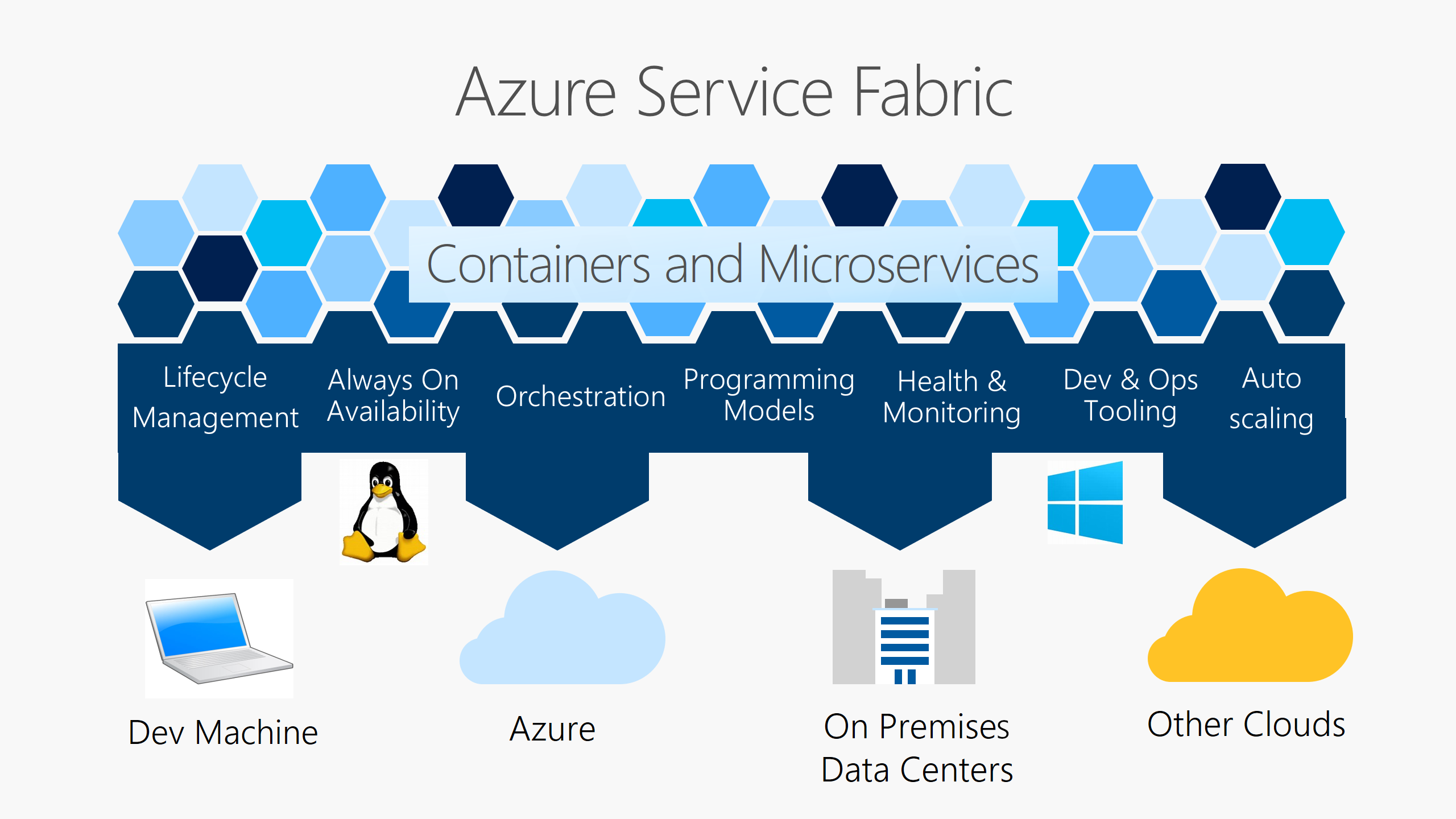
Azure Service Fabric: The Backbone of Modern Application Development
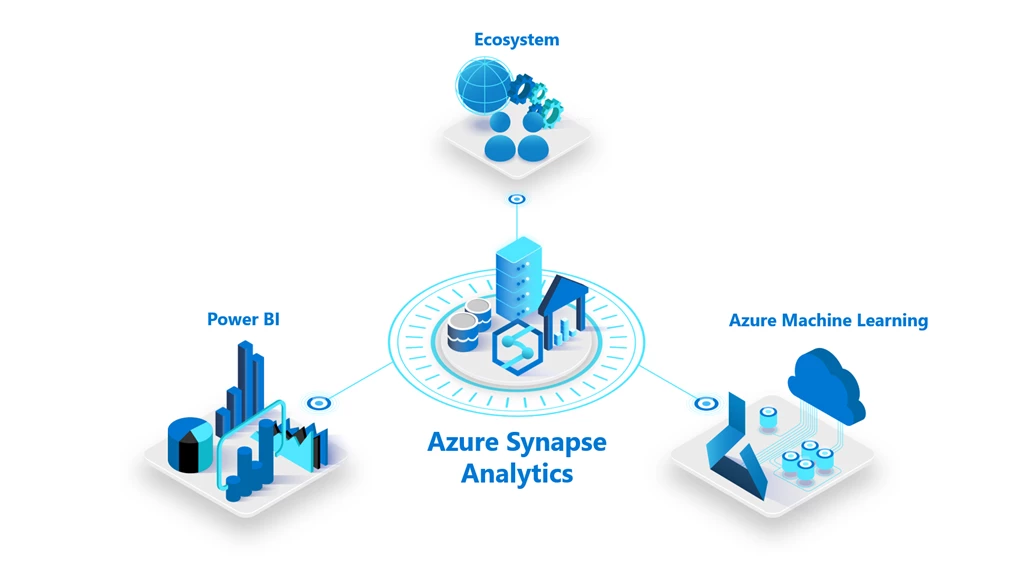
Azure Synapse: Revolutionizing Data Analytics
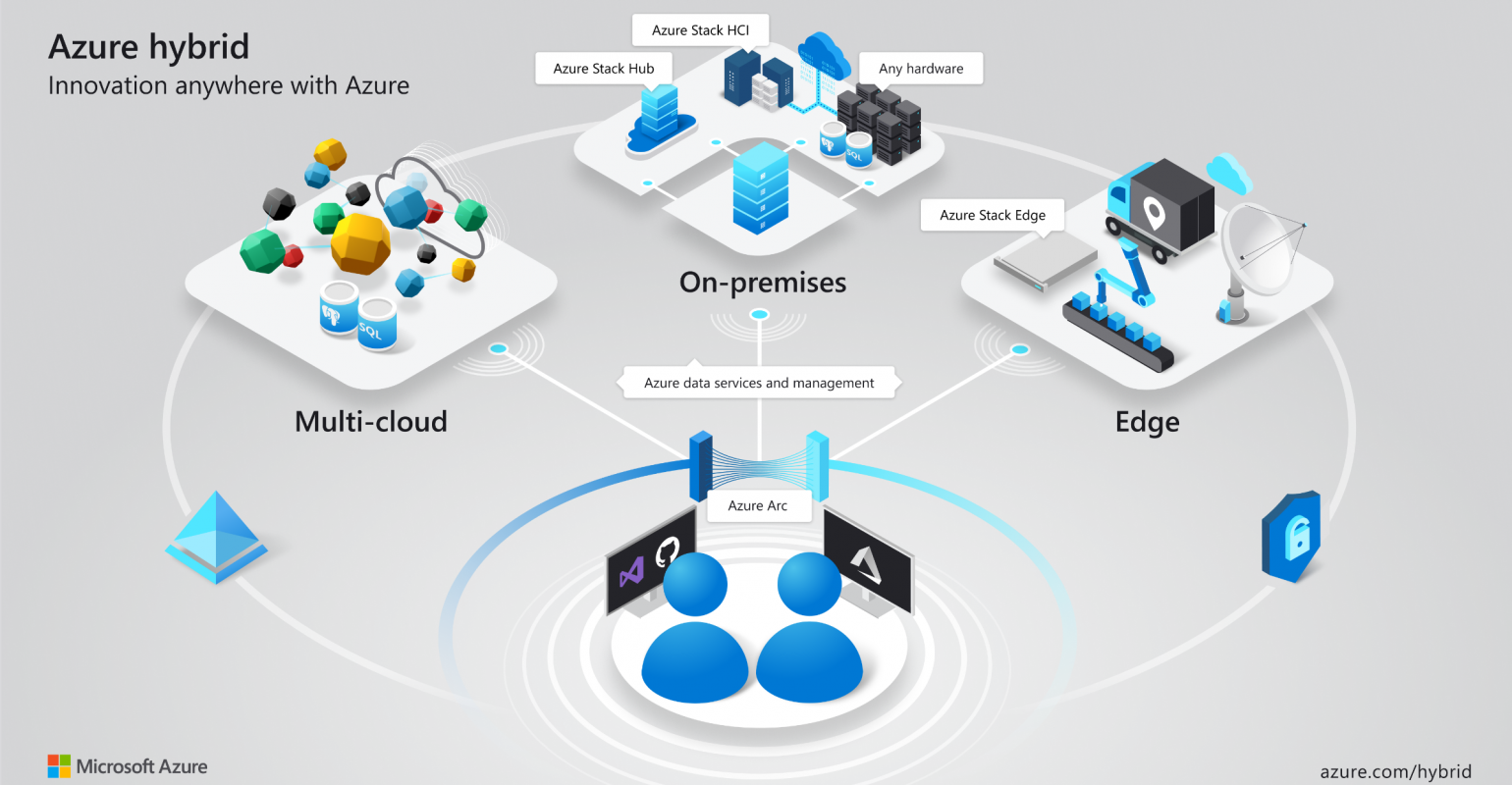
Azure Arc: Transforming Cloud Management
Peakmate
PeakMate
Transform Your Business with Smart AI Chatbots
Experience PeakMate in Action
Versatile Solutions for Every Department
PeakMate Sales
PeakMate Support
Seamless Compatibility Across Platforms
Website
Skype
Slack
Telegram
Line
Twilio
WhatsApp
(Coming Soon)
Transform Your Business with PeakMate Today
Experience the power of AI-driven chatbots with PeakMate—your partner in delivering exceptional service and efficiency. Get started now and see the difference for yourself!
Leave Management
CONTACT US AND MOVE YOUR LEAVE PROCESSES TO DIGITAL
MAKE IT EASY TO FOLLOW UP LEAVE AND SHIFT SCHEDULES OF YOUR EMPLOYEES!
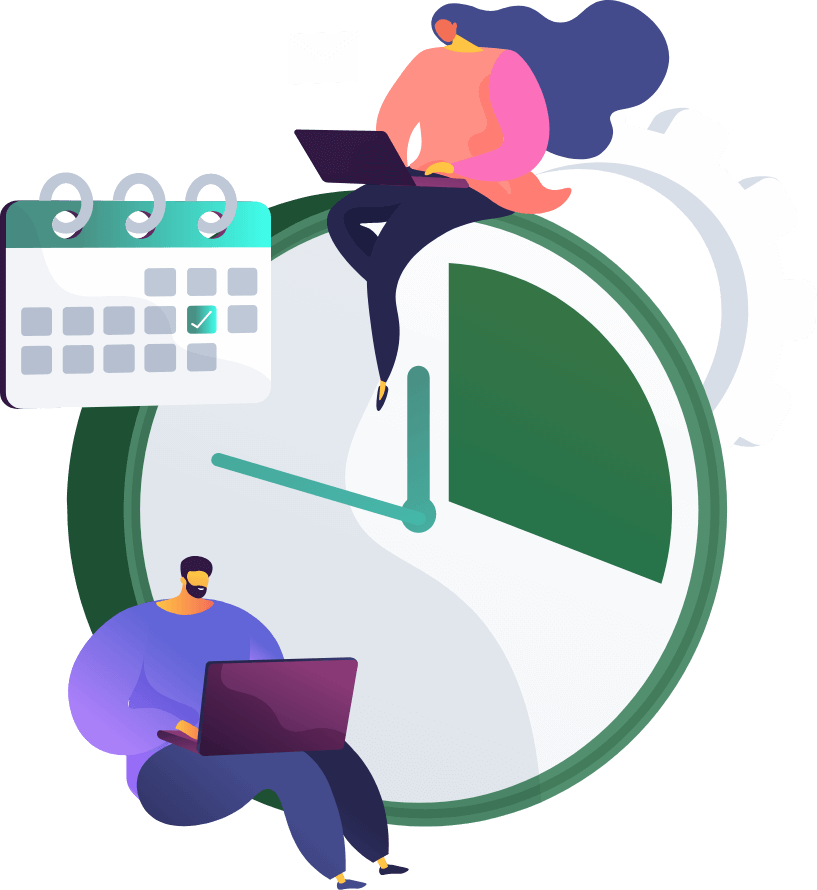
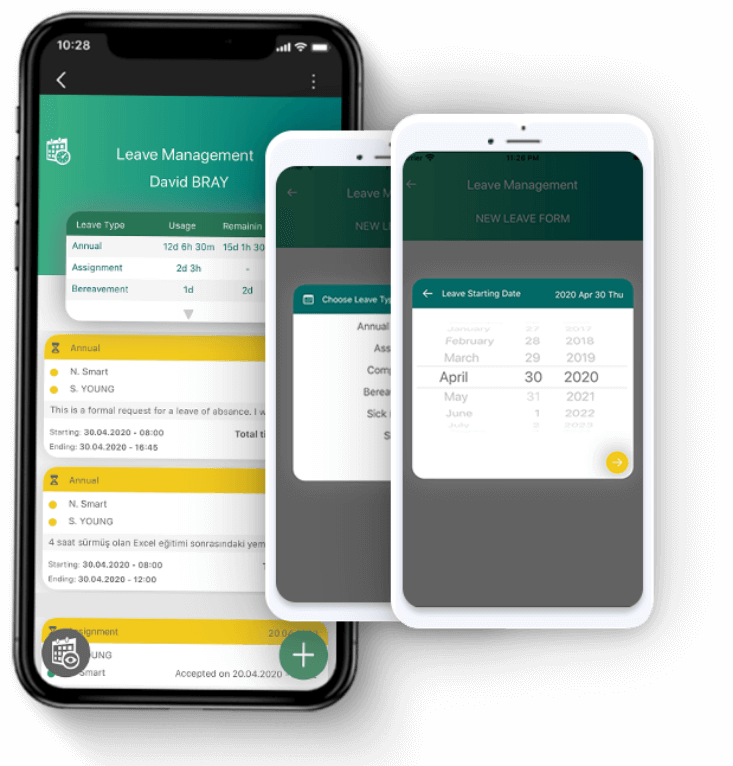
The leave management app provides a smooth use to the employees and managers, and saves you from dealing with mail follow ups, excel documents and paper waste.
The HR departments make reporting easier by moving the leave management processes of the employees from manual to digital. Avoids potential data losses and prepares a followable management space.
Carry out your leave management processes easily with Velocity
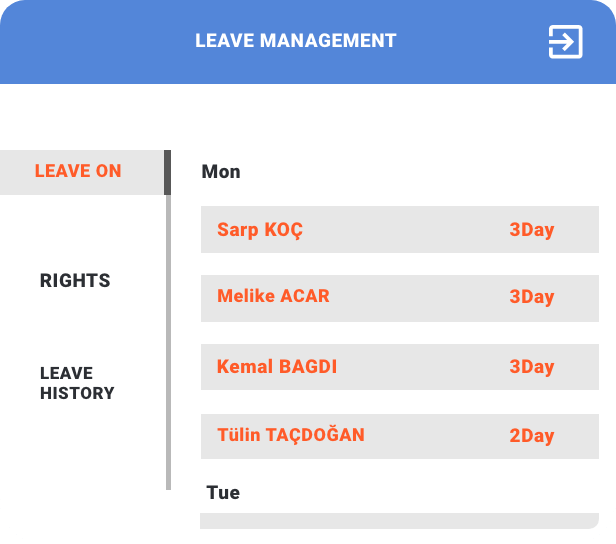
The employees who manage the common work processes of different departments digitally with the intranet Velocity can create their leave requests without having to go to the Human Resources. Likewise, the human resources and department managers can manage the approval flow on the Velocity leave management. This way, the employee uses Velocity to take a day off and the time spent for leave processes is minimized.
Follow the off-days of your R&D employees with ease
Steps like the follow-up the remaining off-days of the employees, calculation of total number of remaining requests and the time R&D employees spent outside are calculated automatically within leave management. In storage and follow-up processes of the documents, the potential loss of data with critical importance is prevented, the leave information of employees is stored, and it is made sure that everything follows the leave policies.
Moving leave processes to digital contributes to sustainability
In this day and age, it is of great importance to integrate the “paperless office” concept to the workplace within the frame of digital transformation.
An employee wastes 10 thousand sheets of paper a year.
This time and paper waste mainly consists of the leave documents of the employees.
Moving your work processes to digital not only eases your workflows but also contributes to a sustainable workplace with its environmental approach.
Create your leave requests anytime you want on mobile devices
Your employees can access your leave management system through the mobile app, create a request whenever and wherever they want, and view reports. With the ability to filter by request status and type, the request is sent to the predefined manager’s approval and all the workflows can be managed efficiently through the mobile app.
Advance Payment Management
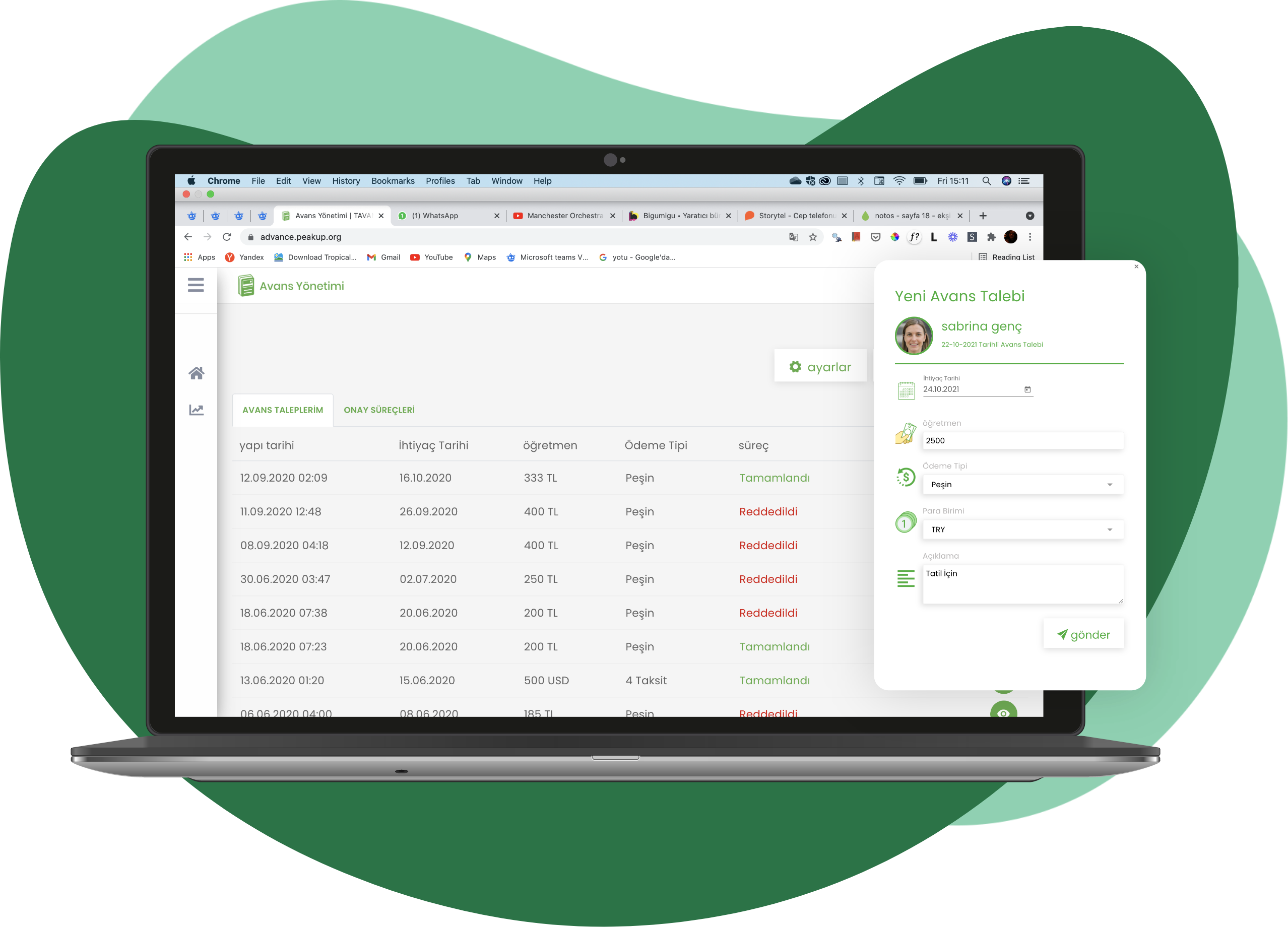
With the Velocity Advance Payment Management, the processes of departments like HR, accounting, and finance are moved to the digital environment and the employees can create their advance payment requests on their own.
The advance payment requests are sent to the managers with a variety of approval processes.
Relevant departments’ effort and paper consuming processes like looking for and finding a document and preparing a document manually are minimized.
Move your advance payment processes to the digital environment, prevent wasting papers and support sustainability
Using the Velocity advance payment application, you get to determine the amount of advance payment your employees will get.
Approval processes go through different departments like management, accounting, and finance as required by the nature of workflow and they get complete in different stages.
The advance payment requests of the employees are sent to the relevant departments, then they get approved and registered. This way all the reports and retrospective information get connected to an approval flow and they are followed and registered through the Velocity Advance Payment Application.
What Can You Do With the Velocity Advance Payment Management Application?
With the actions executed through your Velocity Advanced Payment application, the tasks you need to do manually get moved to the digital environment.
Enterprise Services
INFRASTRUCTURE SERVICES
Access all the services you need to improve the technological infrastructure you have from a single point. Create migration strategies for identity management, device management, data and application security, converged infrastructure architectures, and plan all the services you need.
Redesign your modern workplace for the employees at the most affordable prices with secure cloud architecture.
INFRASTRUCTURE SERVICES
Access all the services you need to improve the technological infrastructure you have from a single point. Create migration strategies for identity management, device management, data and application security, converged infrastructure architectures, and plan all the services you need.
Redesign your modern workplace for the employees at the most affordable prices with secure cloud architecture.
GET DETAILED INFORMATION
We have created 3 basic perspectives for you to plan your corporate IT services.
Modern Workplace
The modern workplace enables the employees to access all the technology tools they need with the conditions of this day and age, with the same efficiency, and from anywhere at any time.
Collaboration Platform
Start using Microsoft Teams, your collaboration and chat application that will build your digital workplace and increase your productivity.
Business Applications
Get many applications that you will need for your employees, like Office, Exchange, SharePoint, Teams, Windows 365, with packages that suit your needs, and facilitate your license management.
Virtual Desktop
Move the Virtual Desktop infrastructure you use for reasons such as hardware and application requirements and security to more flexible and secure architectures suitable for hybrid operation.
Flexible Cloud Architecture
Focuses on adding a new perspective to your technological architecture that is costly, stagnant or that no longer meets your needs, without losing your habits, with Microsoft Azure.
HOSTING AND STORAGE
Meet the architectures that will ensure your data to be stored correctly, cost-effectively, and saved from disaster scenarios.
Hybrid Server Management
Monitor the performance of all your local and cloud server resources, take security actions and manage them from a single panel with Microsoft Arc.
NEW GENERATION FILE SERVER
Migrate your File Server architecture in your infrastructure to a new generation cloud architecture that will meet your needs better by prioritizing security and costs.
SECURITY
It is based on security at every point, from your technological architecture to your data, from applications to user devices and authentication.
Endpoint Management
Manage your company’s operating system installation, update management, application distribution and security for all mobile and desktop devices your users own from a single panel with Microsoft Endpoint Manager.
Data Management
Ensure the security of your company data at every point, from your employees' computers to servers, and ensure compliance with regulations like Law of Protection of Personal Data with Microsoft Information Protection.
Application Management
Create automated workflows against unauthorized activities of employees in applications used throughout your organization and ensure your security with Microsoft Cloud App Security.
WORKSHOP
Contact us to have your system architecture redesigned!
FREQUENTLY ASKED QUESTIONS
What is Azure AD Connect service?
AD Connect service allows us to establish a synchronization between our local Active Directory and Azure AD. This way, when we want to benefit from the Office 365 services and do not want to use a second account address like [email protected], we can manage all user accounts and the services they use from a single place by synchronizing local AD with Azure AD.
What is Azure Virtual Machine reservation?
Reservation is the process of reserving the resources by promising a long period of use for our virtual machines (and some other services such as SQL Database, Blob Storage) in Azure. In contrast, Microsoft offers us options such as 1 year, 3 years and more affordable prices for the use of these resources.
How do you do cost analysis and optimization in Azure?
We can find cost analysis tables in the Azure Cost Management tool. Here we can see how much our resources are being consumed under which subscription, we can filter them according to need, and we can share this output with anyone we want. Apart from this, you can also find Azure Advisor under the Cost Management tool. The consultant examines our standard usage and lets us know about the points that we can improve, and provides the opportunity to implement these solutions with a single click.
Is an extra license required for multiple authentication in Azure AD?
No extra license is required for multiple authentication (MFA). In fact, this service comes as activated as default.
Can Azure AD be used as local AD?
Yes, Azure AD provides managed domain services. Thanks to Azure AD DS, you can have two Domain Controllers which you do not need to deal with the physical condition of.
Is there a tool we can use to see the Azure equivalent of our on-premise server environment?
With the Azure Assessment tool, you get both a performance analysis report of your local environments and a budget report on your resource consumption needs in Azure.
Do you provide consultancy services for the server migration processes?
Yes, as the PEAKUP Enterprise Services team, we provide free support in matters such as assessment work and evaluation of its output, as well as consultancy services for migration.
Can we set up a hybrid structure between Azure and our local environment and make the resources work together?
With the Site-to-Site VPN service Azure provides, you can use the two environments in a hybrid structure.
REFERANSLAR
Sustainable Life Areas
Sustainable
Life Areas
We provide solutions to reduce the corporate carbon footprint by working on fighting climate change and creating sustainable spaces.
With solutions to support their digital transformation, we shape the living spaces of brands that are mindful about sustainability.
Priorities for sustainability
Sustainable teams
Sustainable processes
Sustainable areas
Step 1: Emission Impact Dashboard
The Emissions Impact Dashboard allows you to measure the impact of many Microsoft 365 services like Exchange Online, SharePoint Online, Teams, and more on your company's carbon footprint, and break down emissions by service and data center. Once you add the Emissions Impact Dashboard to Power BI, you can measure your company's carbon footprint based on the data. Discover how you contribute to the environment by configuring an app in a fraction of time.
Step 2: Microsoft Sustainability manager
By connecting the applications and processes used in your company to the Microsoft sustainability manager, you can measure the total impact of your organization, conduct periodic and annual analyses and create advanced reports. The sustainability manager analyzes a wide range of data from IoT devices to local IT resources in accordance with international standards and supports you in creating your roadmap for sustainable working environments.
Green Solutions and Products
We care about the contribution of the products we develop to the environment and companies to raise awareness about creating sustainable offices.
Discover our products and solutions that will make your organization a part of digital transformation.
Non-Contact offices with Envisense
Prepares the necessary environment for the creation of low energy consumption, data-driven workplaces and sustainable environmentally friendly offices. Makes it easy to manage your devices like lighting, air conditioning and ventilation in offices through a single interface. You get to prevent wasting energy by remote controlling the lighting, ventilation and similar devices that are on.
Digital Business Cards with SIGNandGO
With signature banners designed with SIGNandGO, business cards go digital. You get to increase your brand awareness while saying goodbye to business cards that cause you to waste paper. With customized signature designs, your employees become the ambassadors that reflect the awareness of your brand.
Digital Offices with Velocity
Velocity Intranet redesigns your digital workspaces. Enables all employees to exchange documents, surveys, announcements or greeting messages on a single platform. With its special applications, allows all procedures that cause paper waste like leave, expenses, advances, etc. to be managed on a digital platform.
No-Contact door management with Hodoor
Tracking the activities of your employees in different passage areas within your workplace minimizes contamination during pandemics and epidemics. With Hodoor, you get to collect entry-exit data. In case of any disease, it is easily determined which days the sick employees were in the office or who were in the same place with them at the same time. You get to create sustainable areas where there is no contact with door handles and monitor data on a single panel.
Healthy living spaces with the Desk Reservation App
The Desk Reservation Application provides the easiest management of in-house employee scheduling processes. It allows employees to reserve empty desks on a single panel according to the time they want to come to the office in a hybrid system. You get to maintain the balance of the number of people in the offices according to the reserved desks and the need for a healthy working environment.
Digitalized processes with the Audit App
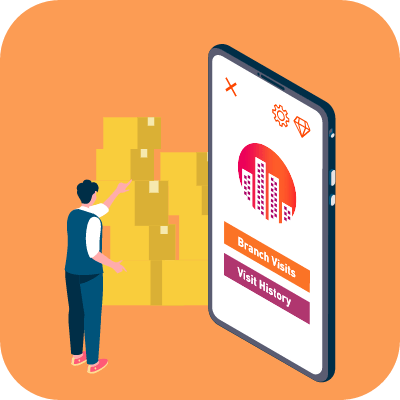
With the Audit Application, you get to carry out your branch audits easily and report them quickly. This way, the current shift, stock and audit system gets to be kept in an organized manner. Processes that are digitized prevent paper waste and support sustainability.
Sustainable systems with the Maintenance App
Breakdown maintenance processes like creating a breakdown notification, assigning the breakdown request to the team or individuals, informing the technical team, purchasing approval processes get to be processed end-to-end. Processes that need to be managed manually become digitized on a single platform. This way, you get to eliminate the extra time you normally waste and don't have to deal with formal paperwork.
Employees in constant communication with Teams
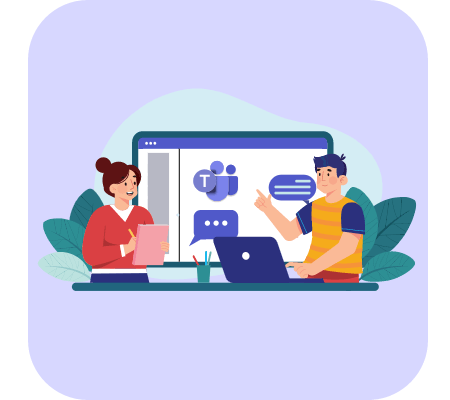
With Microsoft Teams, you get to strengthen the communication within your company even when working remotely, reduce the e-mail traffic and transfer your organization's culture to the digital environment. This way, employees adapt to change management processes more easily. Teams creates significant reductions in paper and document exchanges and plays a major role in the preparation of environmentally friendly offices.